HeyFriday
A photo databank with AI features. From the first wireframe to the running application.

- Industry
- Photo management and AI
- Scope
- Design, application, website, operations
- Timeline
- 2025 to present
- Stack
- Node.js, Nuxt, LLM, MCP
The brief
Company photos sit on hard drives, in email and on shared storage. Who took them, who is in them and whether they can be used at all is usually known by one person. And that person happens to be away from their desk.
HeyFriday is the answer to that problem. A databank that describes a photo on its own, tags it and finds it when you ask in an ordinary sentence. It keeps a licence with every shot: the medium, the territory and the expiry date, so it is clear what can be published and until when.
We built the web application for gen live production s.r.o. We refined the brief together with the client from the very first sketches and handled the entire delivery: application design, development and ongoing operation.
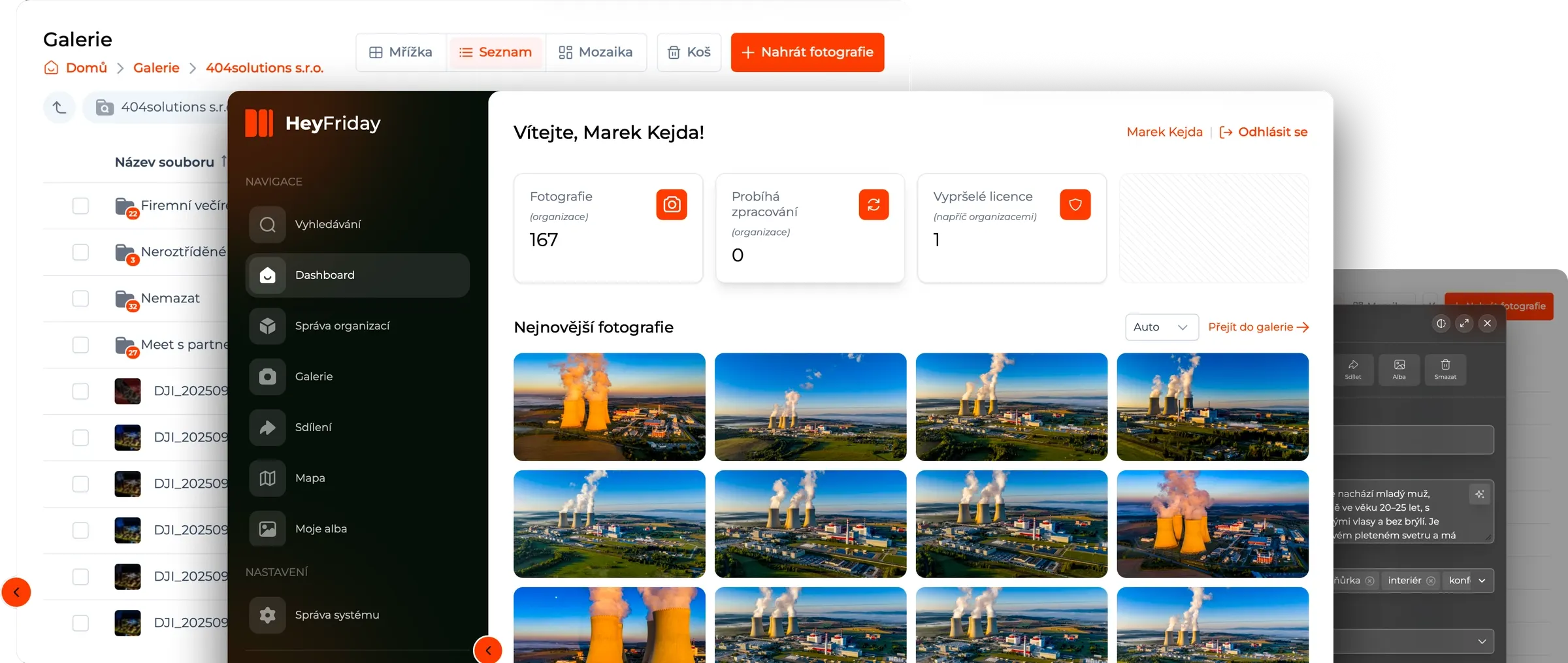
The whole application in two minutes
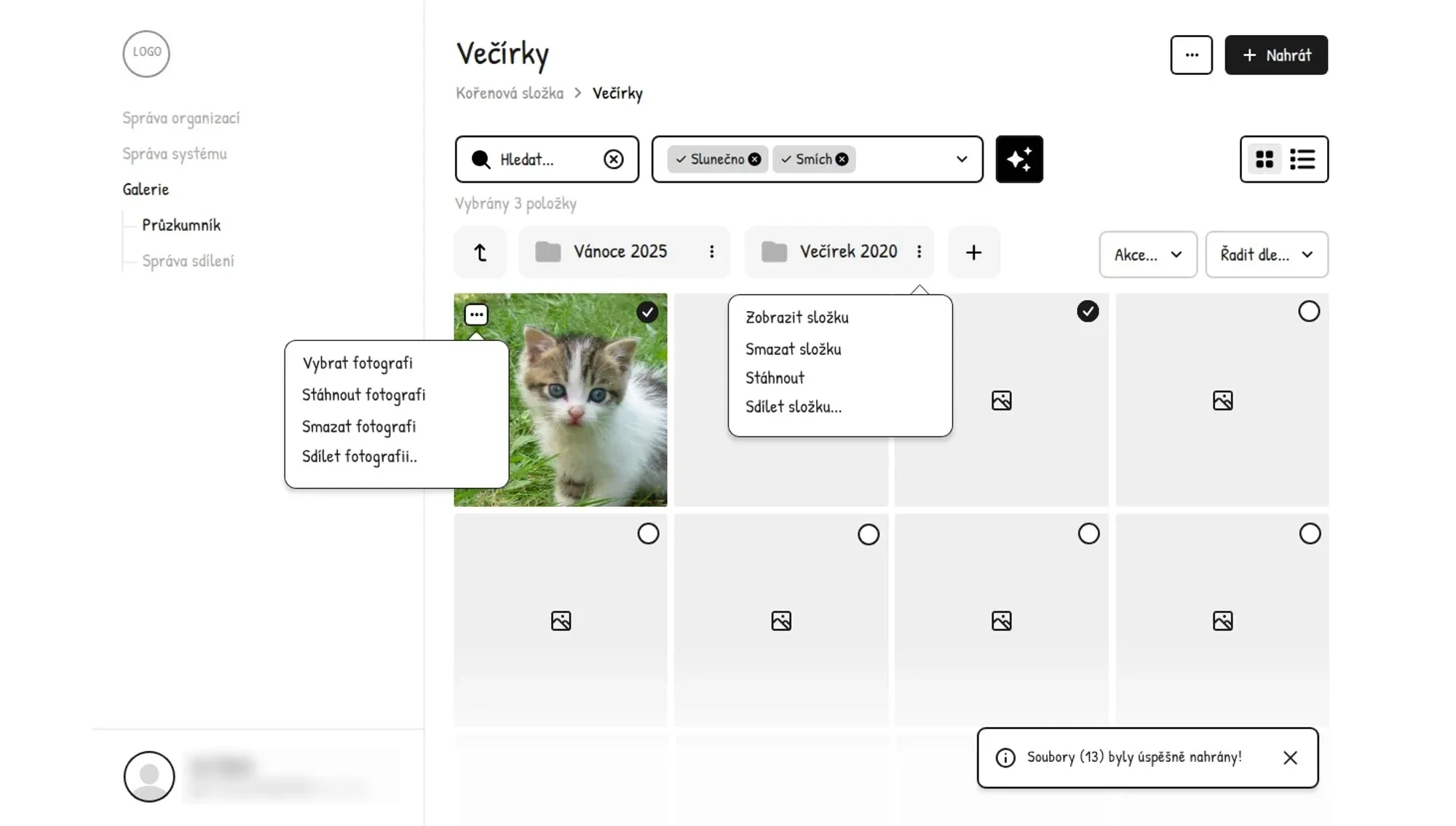
Everything gets drawn first
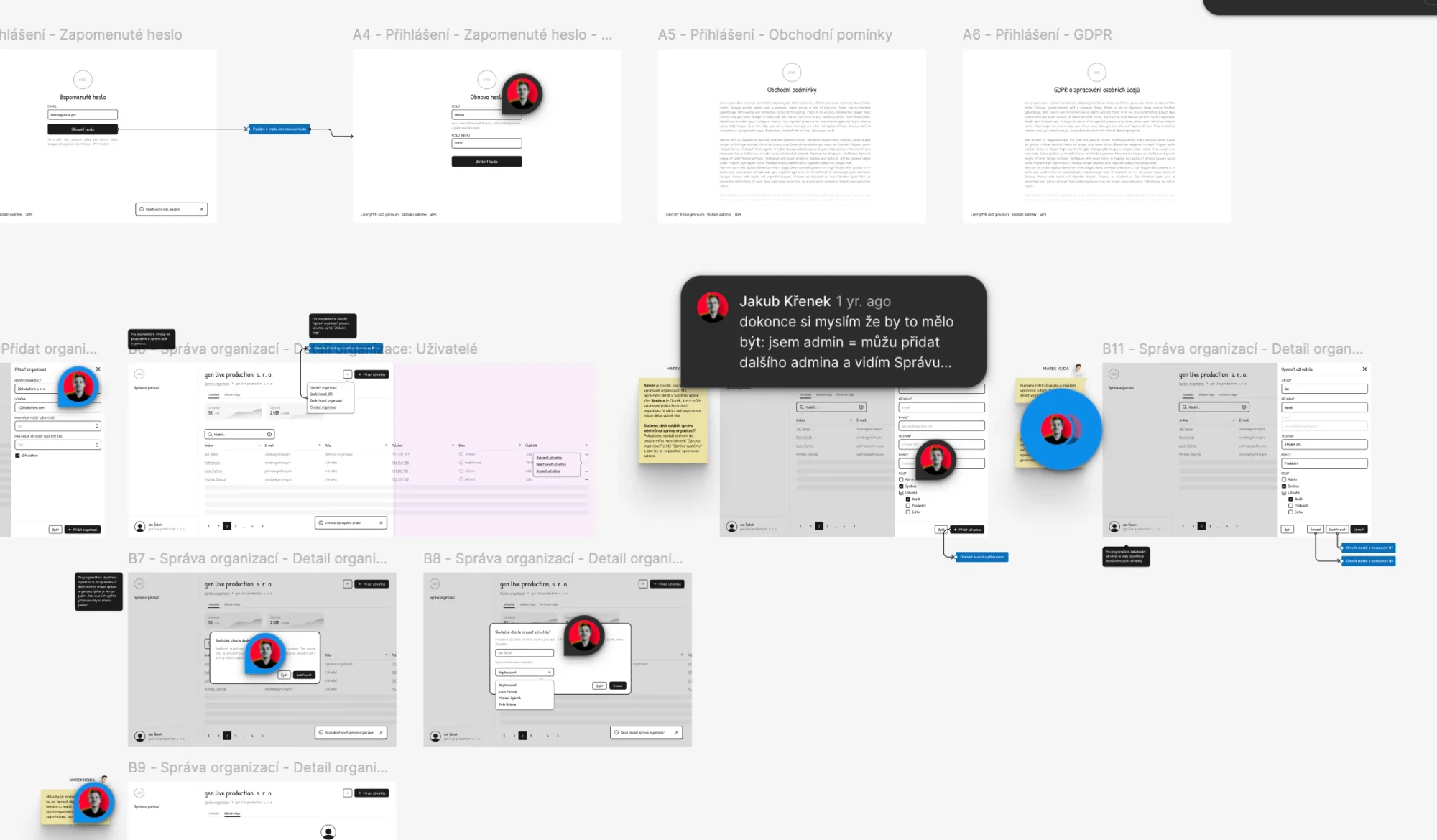
We draw the whole application in Figma as a prototype. The client walks through it screen by screen, writes comments straight into the design, and we work them in before the first line of code is written.
The design in numbers
- 246
- wireframes
- 6
- sprints
- 48k
- lines of code
- 1k
- OpenAI requests
The programming itself took just under three months. Along the way there were several meetings, and we set up development, testing and production environments as well as an automated CI/CD build pipeline.
Artificial intelligence in the lead role
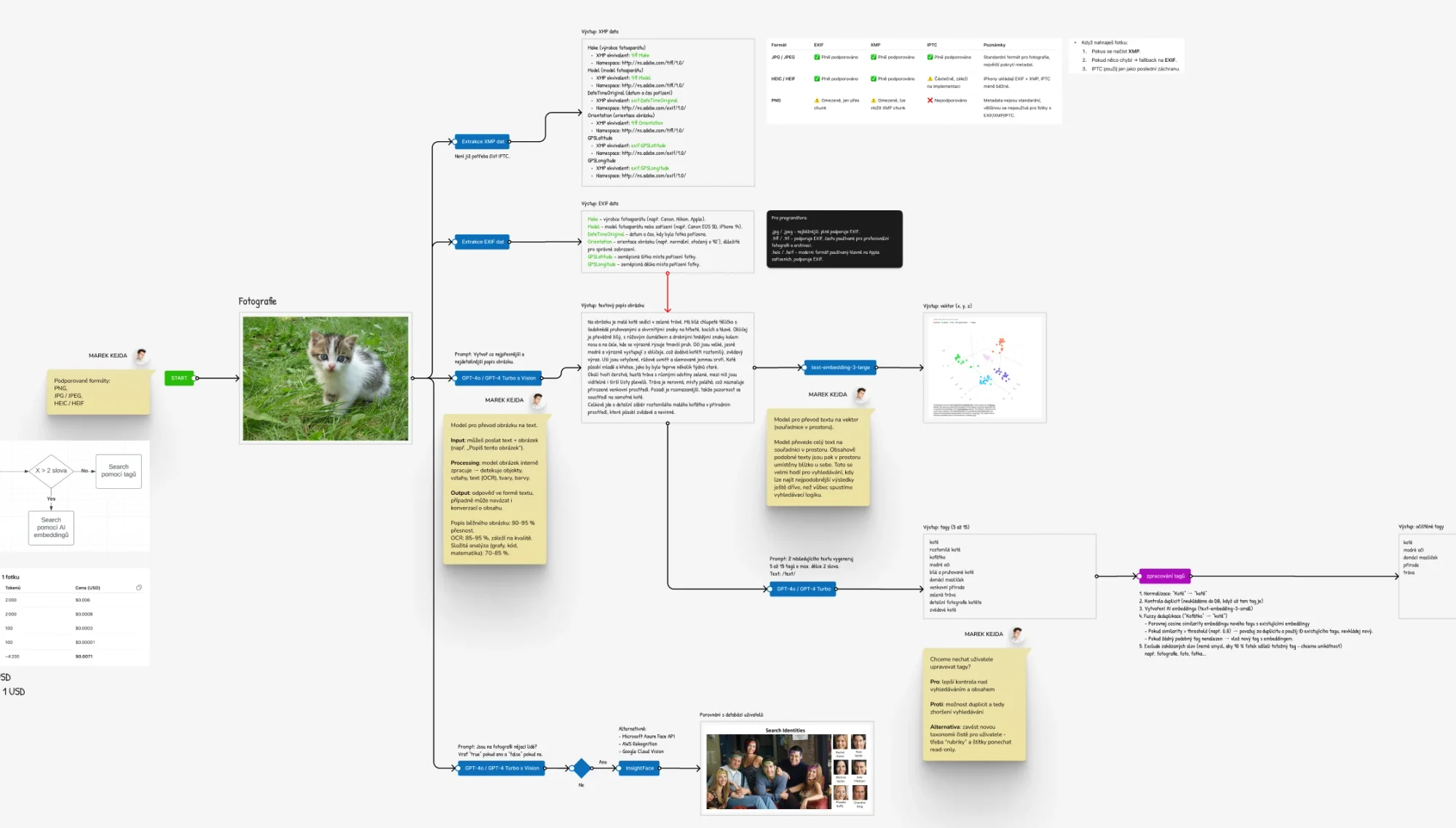
OpenAI models work on the photos. They analyse what is in the shot, write a description for it, suggest tags and convert the content into a vector database, which can then be searched by meaning, not just by matching words.
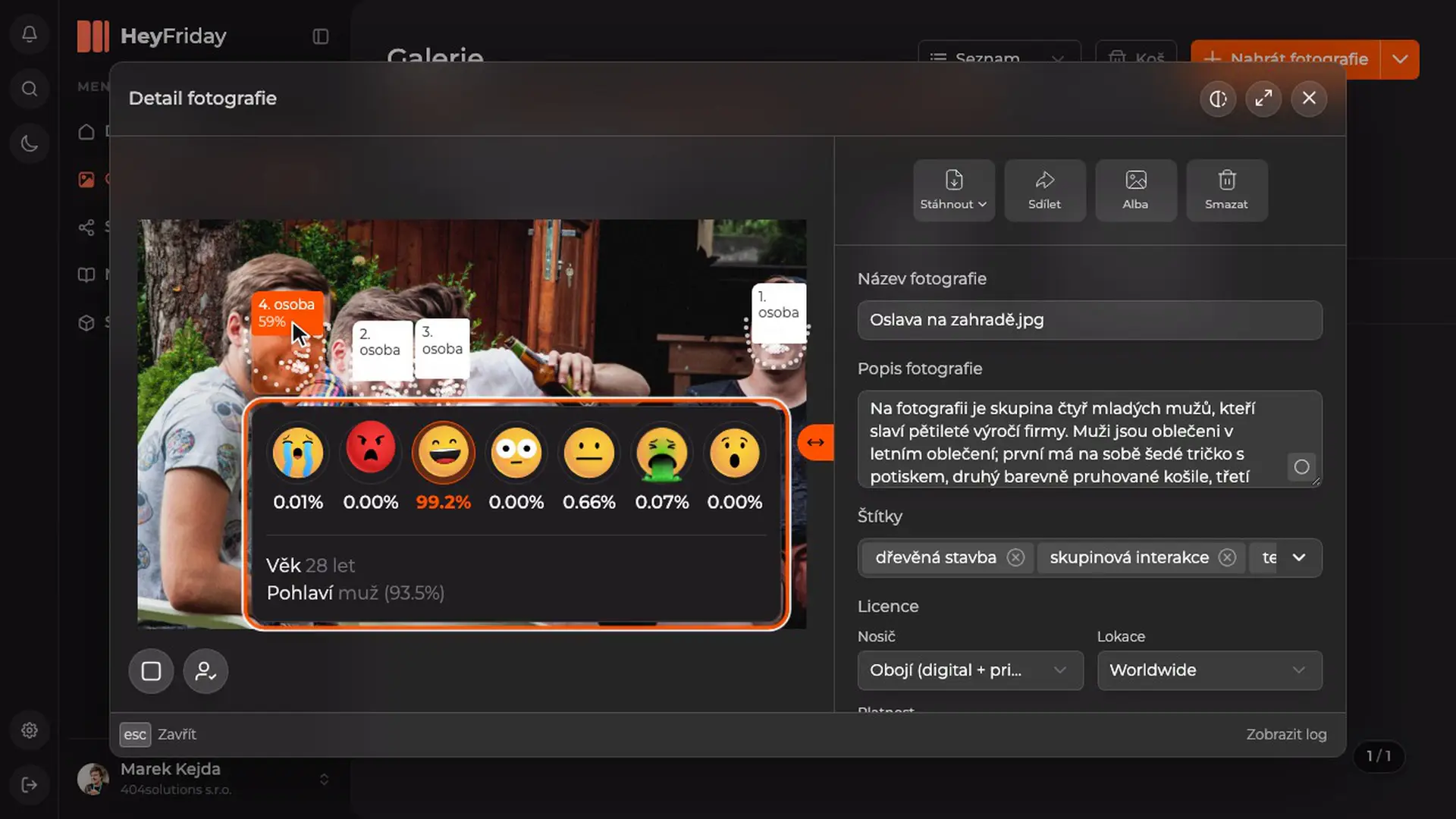
If face recognition is what interests you, you can try it right here on our website: the AI page runs a live demo directly in your browser, and neither the camera feed nor an uploaded photo is sent anywhere.
Our AI assistant Marie
How much glass is too much glass?
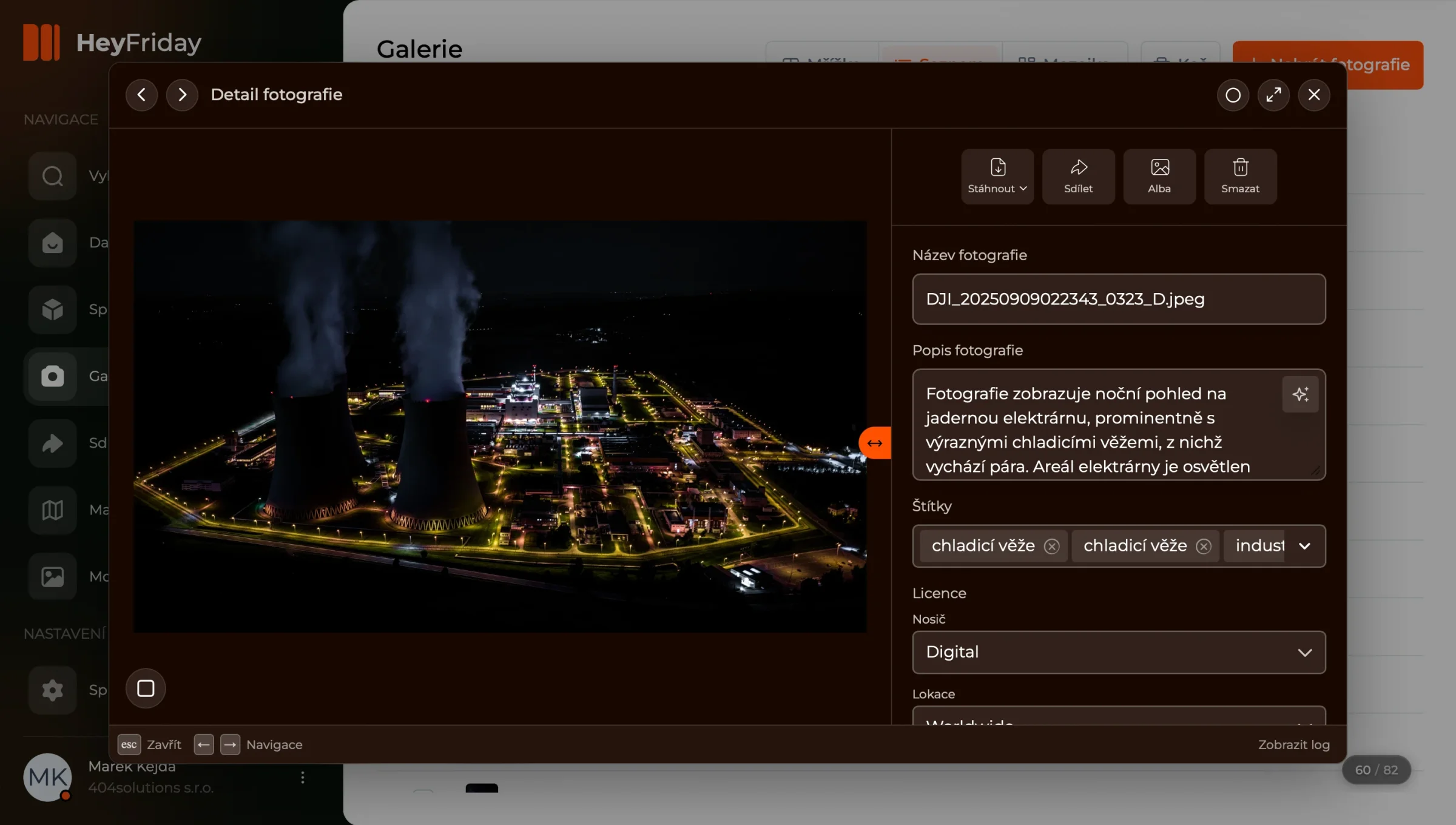
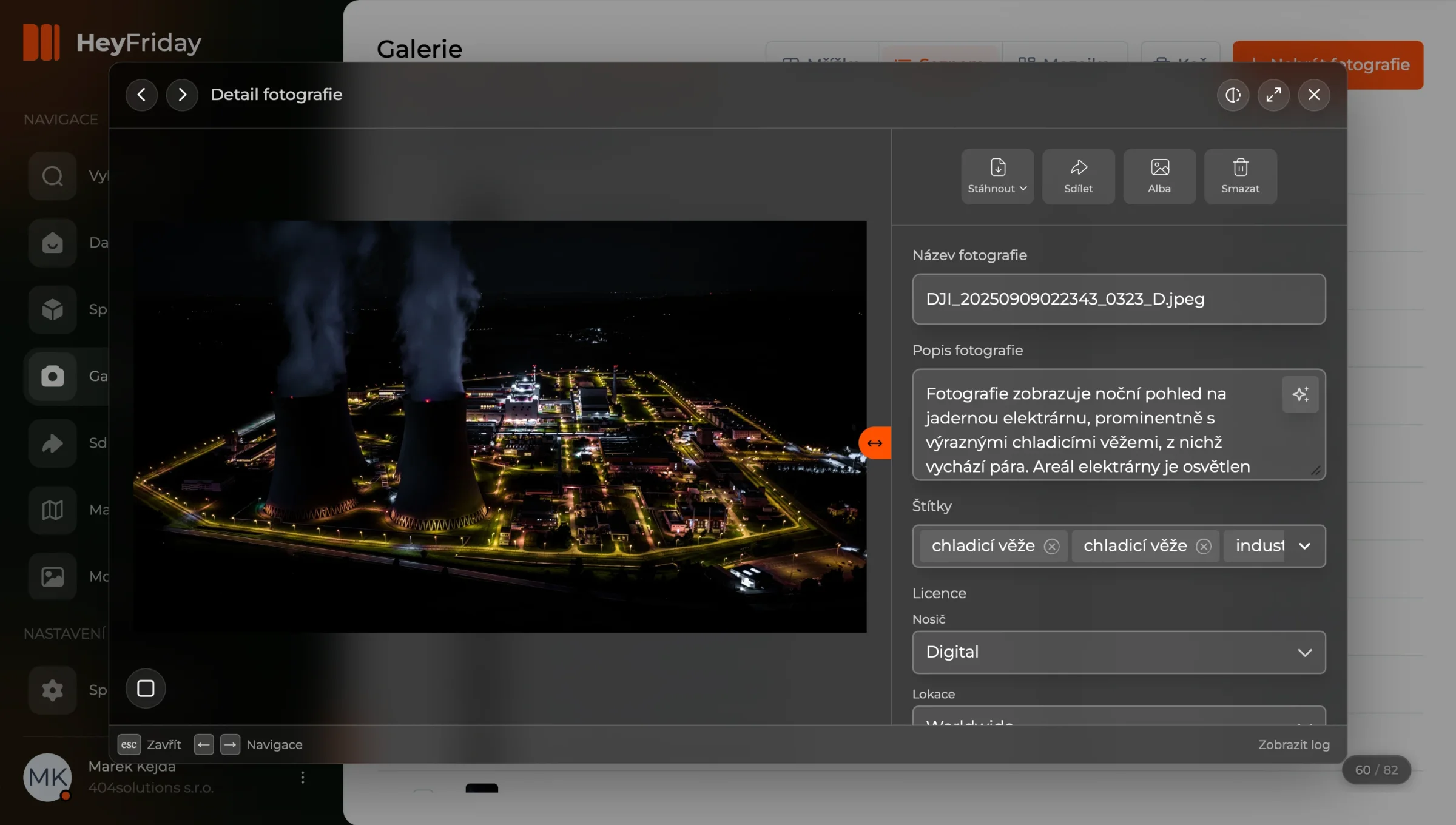
The application’s panels are made of glass. The translucent layer blurs whatever is behind it and takes its colour from there, so the interface holds together even over a photo that would normally cause visual chaos. But the glass can be switched off, and the application has to hold up without it too: the panel gets a solid fill, and instead of a dead grey it takes a tint of the primary colour, so it keeps the tone it had through the glass.
Redesign Q4 2026
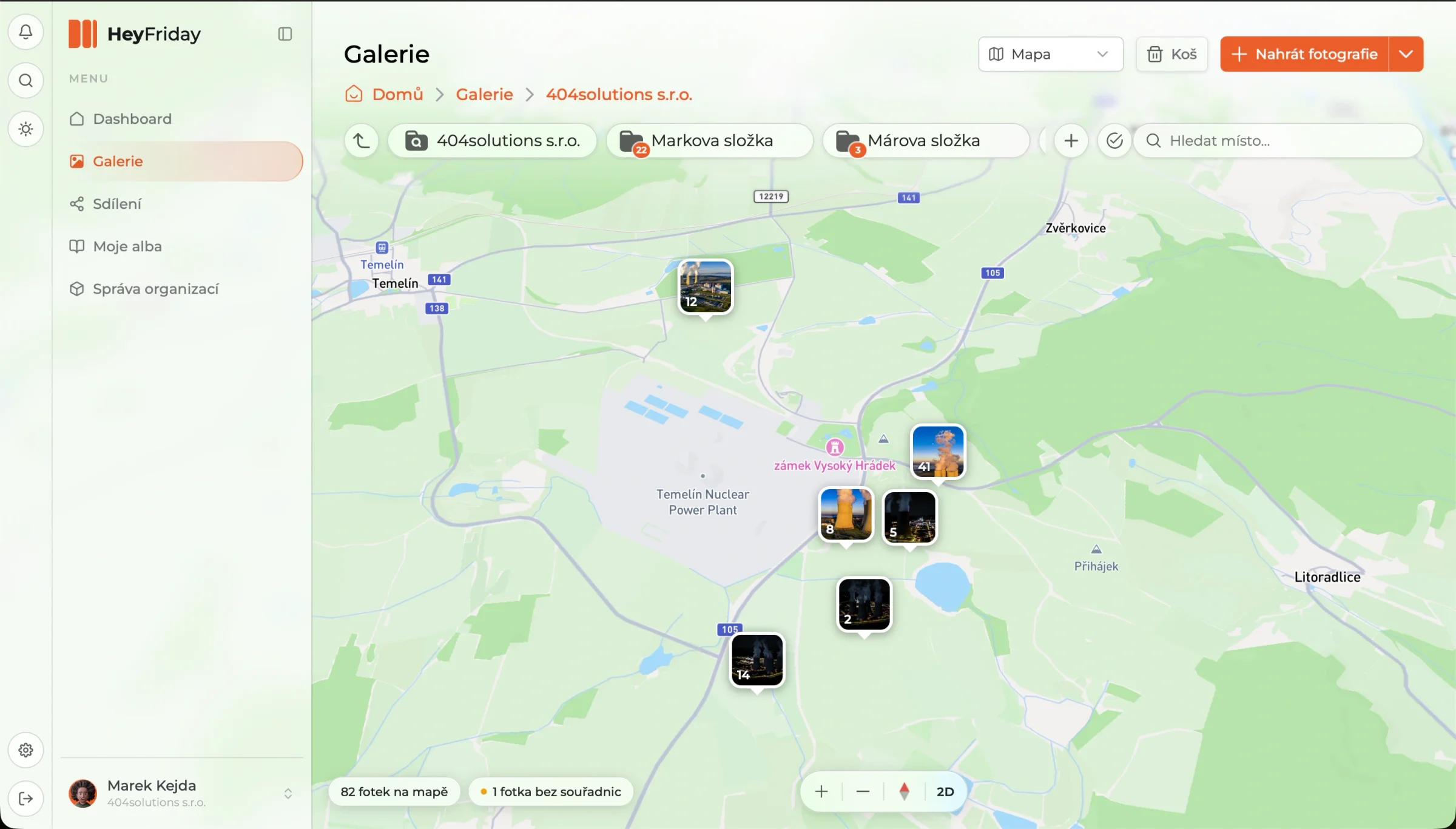
At the end of 2026 the application went through a major redesign. A year in production brought a lot of new features, and this big update reworked how things look, from the navigation to the individual screens, so they read as one whole again.
In the client’s words

What I value most is how independent and flexible the guys at 200solutions are. Not everything worked the first time, but being able to meet at 2 a.m. and show the client the fixes at 9 a.m. is what counts. Thanks a lot for that.
What else the system does
Going through every feature and clever detail of the system would fill a whole book. Here is at least a quick list of the most interesting ones.
-
Search in your own words, not keywords
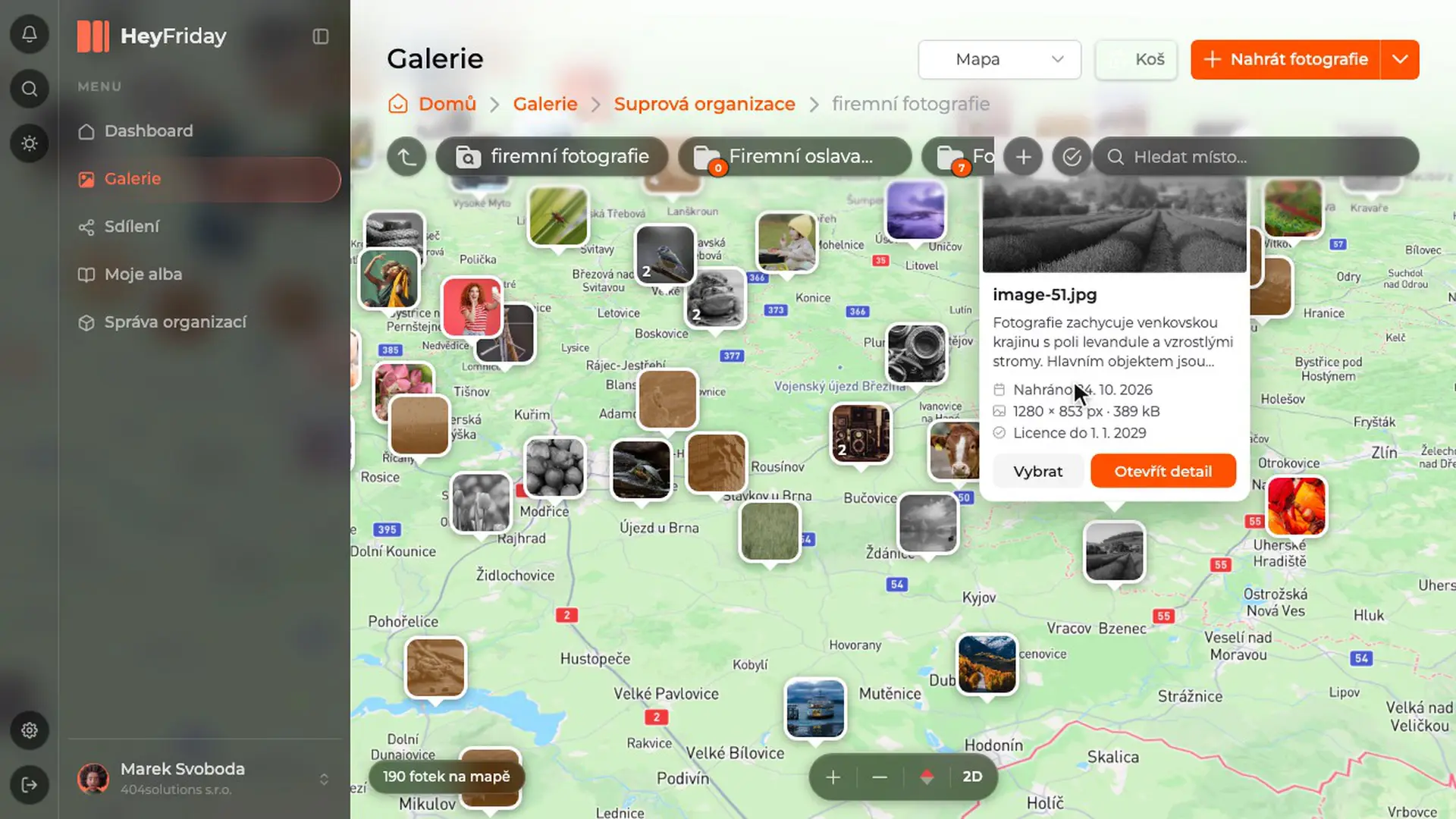
Type “photos from last summer where the cooling tower is visible” and the system sets all the filters itself: time period, content, orientation. You can see those settings and fine-tune them by hand, so you are never left guessing why you got these particular photos.
-
The system knows what is in a photo
It looks at every uploaded photo on its own, describes it and tags it. So you can find “a toast” even in a shot called DSC_4471.jpg that nobody ever described by hand. This is exactly where archives usually break down: the photos are there, but nobody can find them.
-
Find photos of a specific person
The system recognises faces and can answer a query like “all photos with our CEO in them”. Handy when you need a portrait for a press release and don’t want to click through three years of events.
-
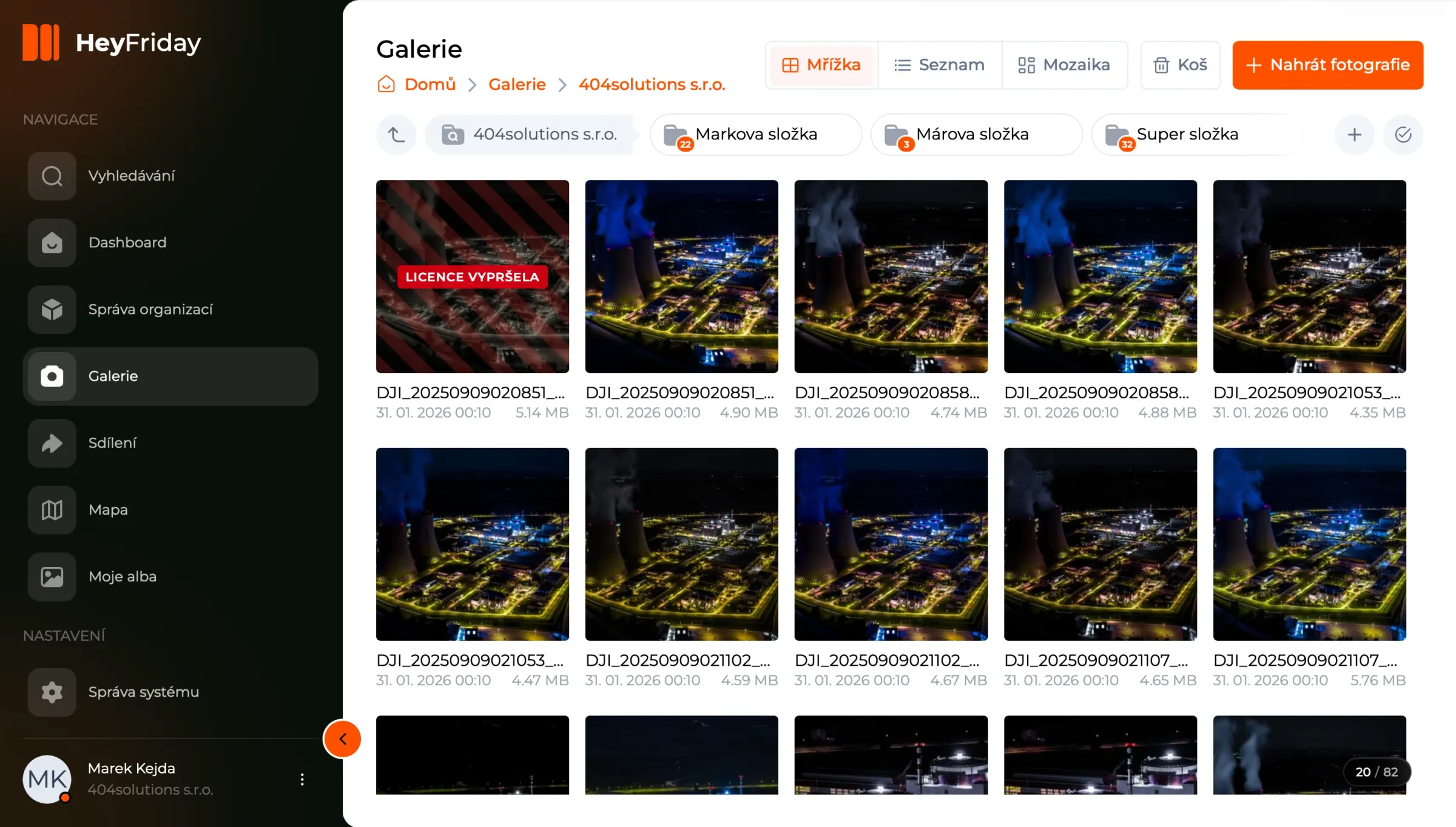
Licences are attached to the photo, not kept in a spreadsheet next to it
Every photo states where it may be used (print, web, or both), in which territory and until when. Once the licence expires, the preview is degraded and the photo cannot be downloaded, which protects against someone accidentally publishing a shot you no longer have the rights to. Licences can be renewed in bulk.
-
Sharing outside and inside, always with an end date
You share a folder or an album either with a link for anyone (the recipient does not need an account) or with specific people in your organisation. For both, you set the date when access ends. The system also warns you when someone downloads a photo whose licence is limited to a different territory.
-
Everything runs on the company’s own servers
Neither the photos nor their analysis ever leave infrastructure the company controls. Plus one less visible but important thing: the system is not tied to a single AI provider. That is insurance against one provider raising prices or changing its terms.
The whole application in one place
Eleven screens as users meet them: from the dashboard through search and the photo detail to organisation management. Click any of them to open it full screen and browse through the rest.